
Version 5.0.0 Patch Notes
Maintenance to update the game will start at approx. 9:00 p.m. on January 14, 2026 (PT). This game will be updated to Ver.5.0.0 Once the update is released, the app will need to be updated in order to play. Please check that you have a stable network connection before updating the app. (Wi-Fi recommended)
■Maintenance/Update Schedule
January 14, 2026 at approx. 9:00 p.m. - Around January 15, 2:00 a.m. (PT)
■Mandatory Update:
January 14, 2025 at approx. 9:00 p.m. (PT)
Please note:
• The game cannot be played during maintenance.
• If the maintenance begins while you are playing a show, the results of that show may be lost.
• The maintenance schedule is subject to change without notice.
Ver.5.0.0 update details are as follows.
MYSEKAI Release
MYSEKAI Release
What is MYSEKAI?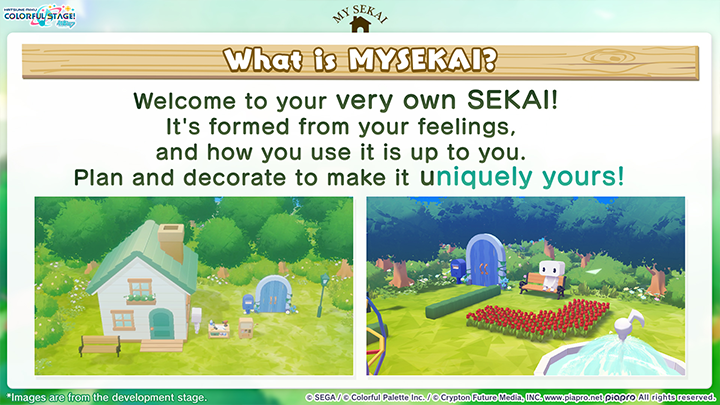
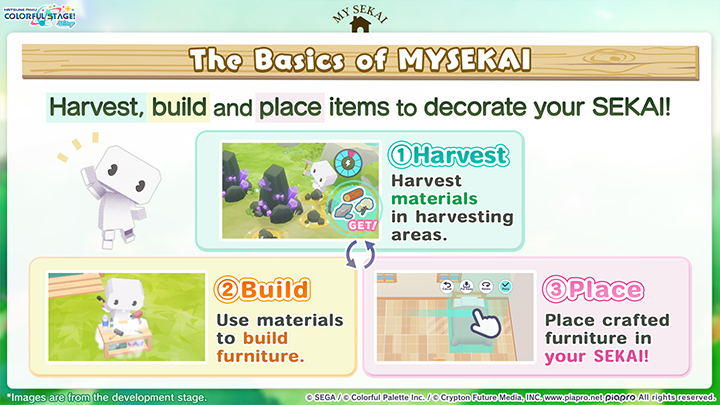
MYSEKAI is a new mode that lets you experience gathering materials and building furniture to decorate your very own SEKAI.
You can access MYSEKAI from the Home screen.
■Harvesting Materials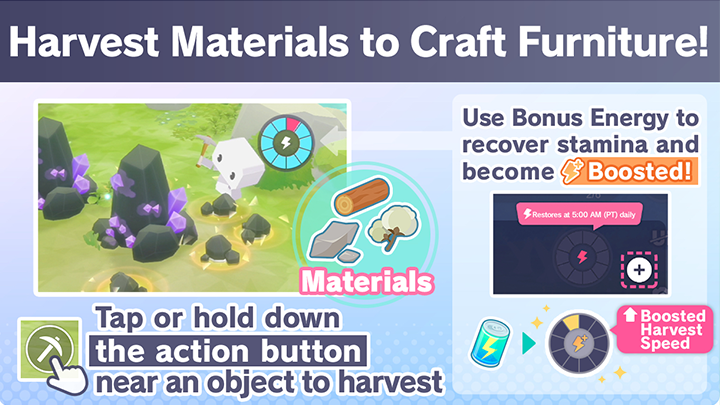
Materials can be found in harvesting areas in MYSEKAI.
You can harvest different materials from different objects, such as trees, stone deposits or plants. Some materials only appear (or are more likely to appear) in specific harvesting areas or under certain weather conditions.
Harvesting earns you not only MYSEKAI building materials, but also Player Rank experience points, Show Points, Event Points, Event Tokens and other rewards.
While some materials can be gathered by hand, others need tools such as an axe or pickaxe. These tools break after a certain number of uses, so be sure to build enough in advance.
Harvesting materials consumes Stamina.
There are two types of Stamina: regular Stamina and Boosted Stamina. Gain Boosted Stamina by using Bonus Energy, Bonus Energy Drinks or Crystals.
Boosted Stamina increases your harvesting speed and the amount of points you earn.
*Regular Stamina is restored daily at 5 AM (PT) and does not restore gradually over time.
■Building Furniture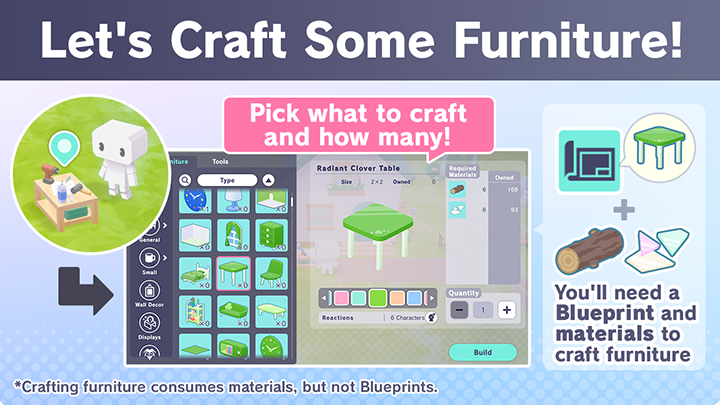
To build the furniture item you want, head to a Workbench with materials and the item's Blueprint. You cannot build a furniture item without its Blueprint, but once you obtain it, you can use it as many times as you like.
Blueprints can be obtained in several ways, including opening chests that appear once a day in harvesting areas and using the Converter.
*You obtain your first Workbench during the tutorial.
■Furniture Categories and Placement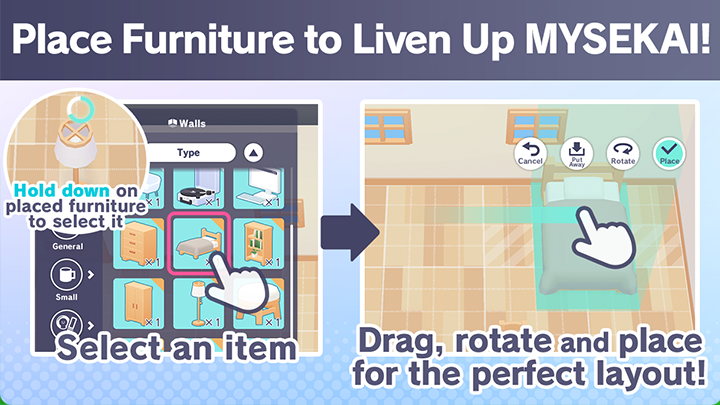
Furniture is divided into the following broad categories based on purpose, size and placement options: General, Small, Wall Decor, Merch, Paintings, Plushies, Walls, Floors, Rugs, Houses, Paths, Fencing and Plants.
From appliances to ornamental plants, there are tons of furniture items to help you create your dream layout!
Your Gate and Meeting Characters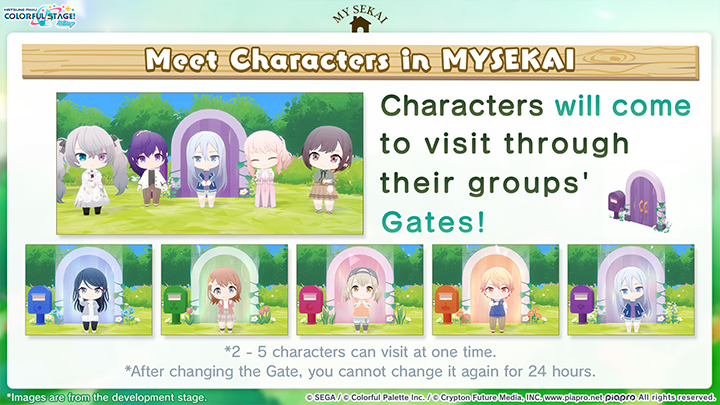
Each of the game's five original groups has its own Gate. Twice a day, 2 - 5 characters from the group whose Gate is active will come to visit.
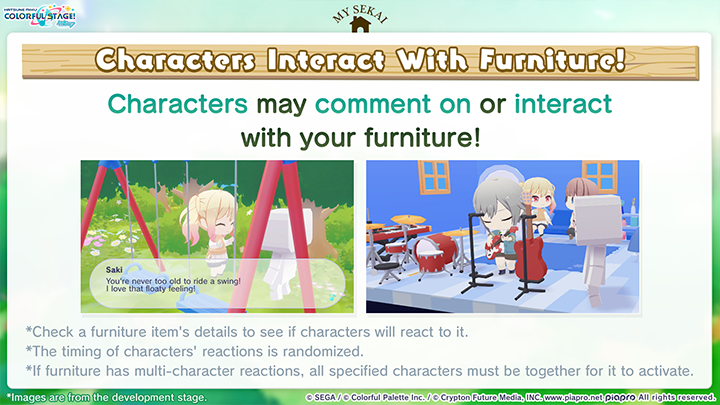
Characters visiting your MYSEKAI will react to things like the weather or the furniture you've placed.
*VIRTUAL SINGERS who visit your MYSEKAI are the ones who initially appeared in each group's SEKAI.
*The visiting characters change daily at 5 AM and 5 PM (PT).
*Once you change your Gate to that of another group, you cannot change it again for 24 hours.
■Memoria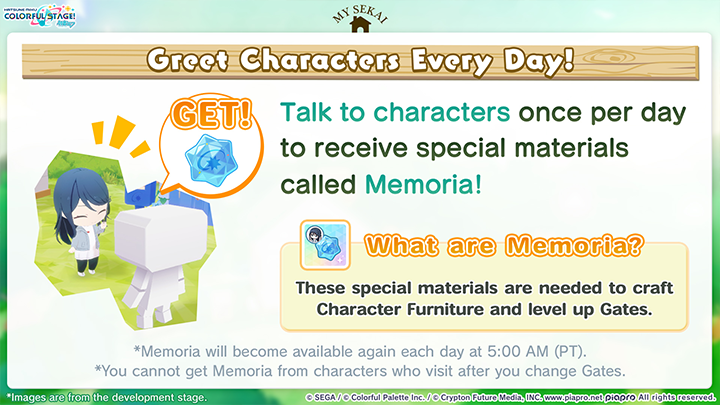
By speaking to characters visiting your MYSEKAI, you'll earn one Memoria per character per day. Be sure to regularly collect these items, as you'll need them to build Character Furniture and level up Gates!
*Memoria become available again each day at 5:00 AM (PT).
*You cannot get Memoria from characters who visit immediately after you change Gates.
■Leveling Up Gates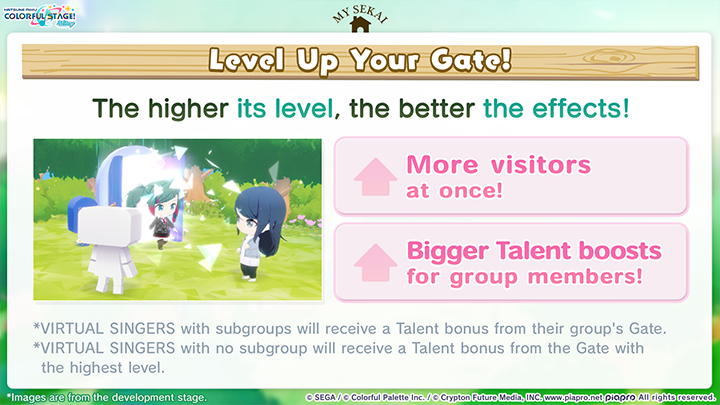
Each group's Gate can be leveled up using certain materials.
Leveling up each Gate increases the likelihood of more characters visiting at once.
Each Gate also provides a Gate Bonus to group members' Talent, with larger boosts at higher Gate levels.
*VIRTUAL SINGERS with subgroups will receive a Talent bonus from their group's Gate.
*VIRTUAL SINGERS with no subgroup will receive a Talent bonus from the Gate with the highest level.
■Photos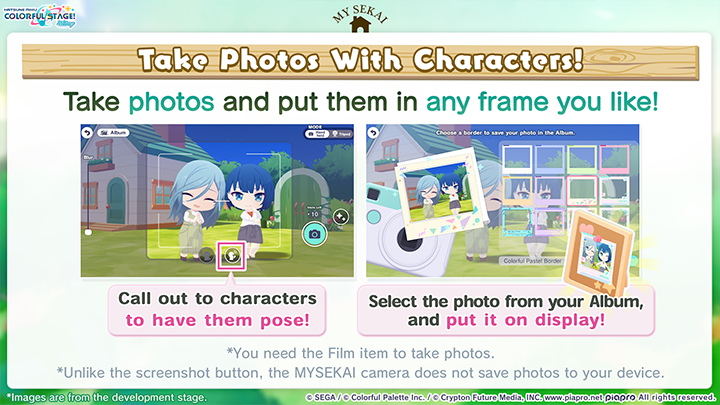
In MYSEKAI, you can take photos using the camera.
You can hold the camera or put it on a tripod and stand in the frame.
View saved photos in your Album or display them in MYSEKAI by building the Photo Frame furniture item.
*To take photos, you need Film, which you can obtain from the Converter.
*Unlike the screenshot button seen in Virtual Shows and on other screens, the MYSEKAI camera does not save photos to your device.
Furniture With Special Uses
Some furniture items have unique functions.
■Music Players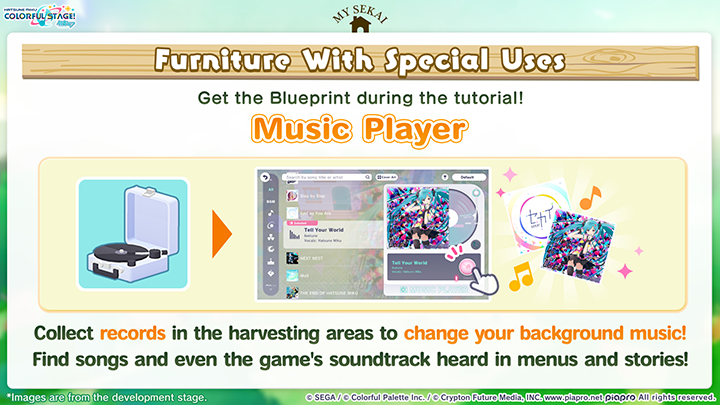
Music players let you set your favorite songs from the rhythm game or tracks from Event Stories as the background music of your house. To set a song as your background music, you must obtain a Record of it in the harvesting areas.
*You can find Records in chests that appear in the harvesting areas.
*To find a song's Record in one of the harvesting areas, you first need to obtain the song as a gift or from the Music Shop.
■Converters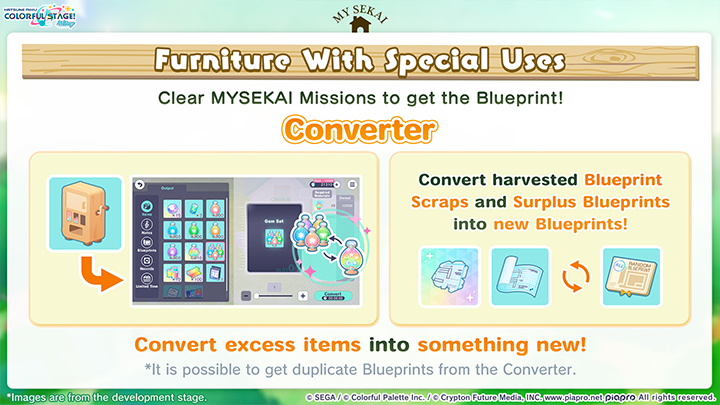
If you have an excess of certain items, you can use the Converter to Convert them into something else.
You can Convert Blueprint Scraps (found in MYSEKAI) and Surplus Blueprints (obtained from duplicate Blueprints) into random Blueprints. You can even convert items you've obtained from the rhythm game into other helpful items!
In addition to materials, Conversion takes a certain amount of time and Coins. You can shorten the wait time for Conversion using Crystals.
The Converter also has levels. Clearing certain MYSEKAI Missions increases its level, expanding the range of outputs available.
Excluding MYSEKAI materials and Blueprints, the following Converter outputs are possible:
*See in-game to find out what MYSEKAI materials and Blueprints are available in the Converter.
Lv. 1:
• Wish Piece x15
← Wish Rocks x100, Shining Quartz x3, Coins x1,000
• Bonus Energy Drink (S) x3
← Battery x3, Coins x1,000
• Each Gem type x100
← Each Charm type x2,000, Coins x1,000
• Magic Thread x10
← Magic Cloth x100, Coins x10,000
• Magic Cloth x100
← Magic Thread x10, Coins x10,000
• Practice Score (Intermediate) x10
← Practice Score (Beginner) x500, Coins x10,000
Lv. 2:
• Miracle Gem x10
← Each Gem type x100, Coins x5,000
• Each Gem type x100
← Miracle Gem x10, Coins x5,000
• Cover Card Voucher x2
← Music Card x200, Stamp Voucher x3, Coins x500,000
Irregular Availability:
• Skill Up Score (Intermediate) x1
← Practice Score (Intermediate) x30, Miracle Gem x200, Coins x100,000
*This will be available from January 15 to 11:59 PM on January 22 (PT) as part of the MYSEKAI release celebrations.
*Special items may be made available in the Converter on an irregular basis in the future.
■Computers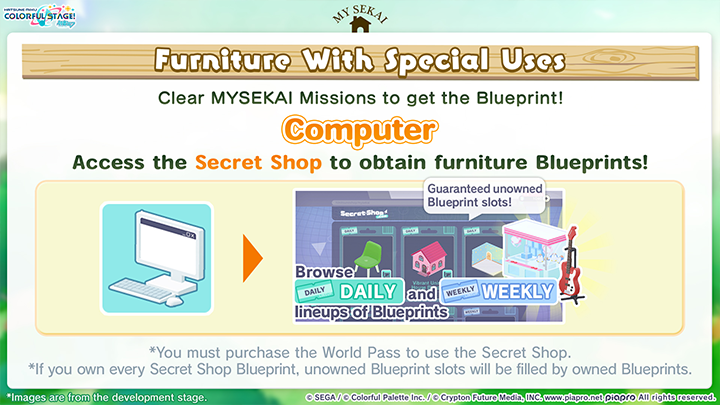
With a Computer, you can access the Secret Shop, where you can purchase Blueprints with Crystals. The Secret Shop lineup has slots that rotate on a daily basis and others that rotate on a weekly basis. It always includes Blueprints you don't own.
To use the Secret Shop, you must purchase a World Pass.
■Displays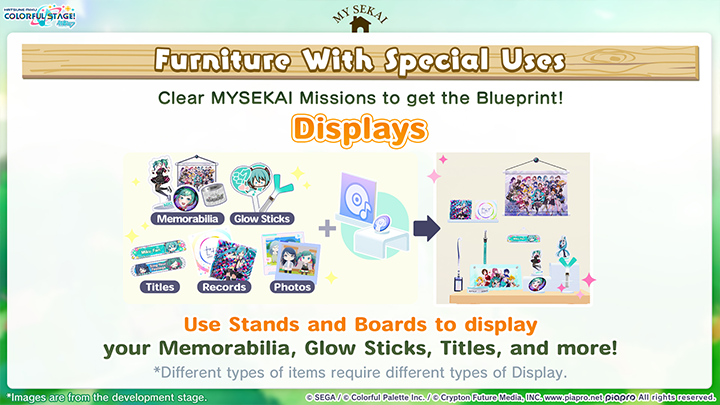
Previously, Titles, Glow Sticks and Memorabilia such as Button Pins and Acrylic Stands were only usable in Custom Profiles and Virtual Shows. Now, you can use Display items like Stands and Boards to show them off as MYSEKAI furniture. Mix and match items and Displays to find what works for you!
*Some Memorabilia cannot be used with Display items.
■Paintings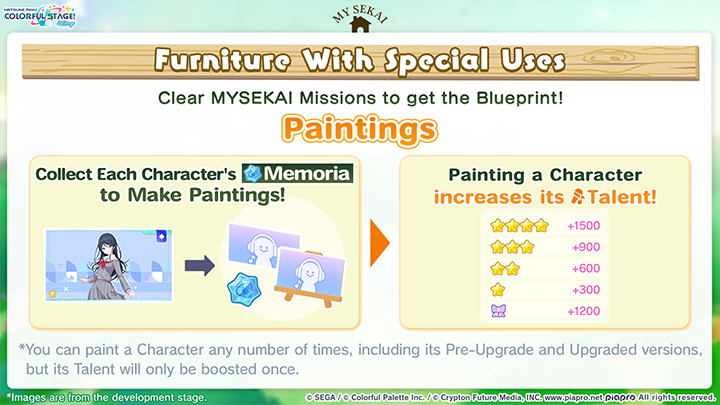
Paintings are furniture items that allow you to display artwork of a Character you own on a canvas. To paint a Character, you need 1 of its respective character's Memoria.
Painting a Character boosts its Talent.
The Talent boost varies based on rarity, as follows:
• 4★: +1,500
• 3★: +900
• 2★: +600
• 1★: +300
• BD: +1,200
*Regardless of whether you paint a Character in its pre-Upgrade or post-Upgrade state, its Talent will only be boosted once.
*All Painting types and sizes require the same number of Memoria.
■Plushies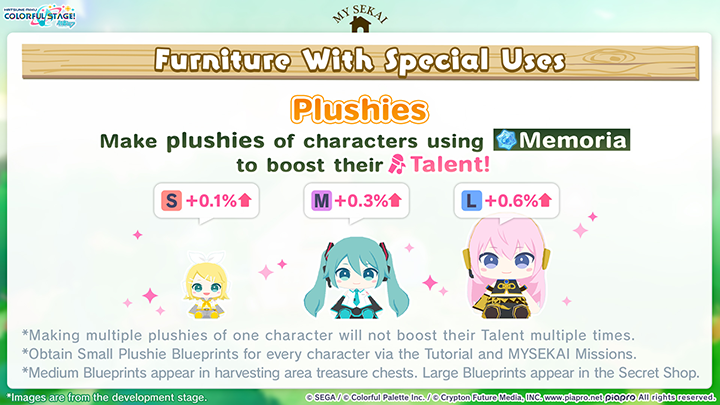
Making a plushie of a character that requires Memoria will add a Furniture Bonus to their Talent.
The bigger the plushie, the more Memoria required and the bigger the bonus.
• Small: +0.1%
• Medium: +0.3%
• Large: +0.6%
*Making multiple plushies of one character will not boost their Talent multiple times.
*Making plushies that do not require Memoria does not boost Talent.
*The plushies available at launch feature the characters in their default outfits from the previous school year. The Blueprints for these are obtained in a different way for each size. You'll earn Small Plushie Blueprints for every character as rewards for clearing MYSEKAI Missions during the tutorial. Medium Plushie Blueprints can be found in the harvesting areas. Large Plushie Blueprints appear at random in the Secret Shop.
MYSEKAI Missions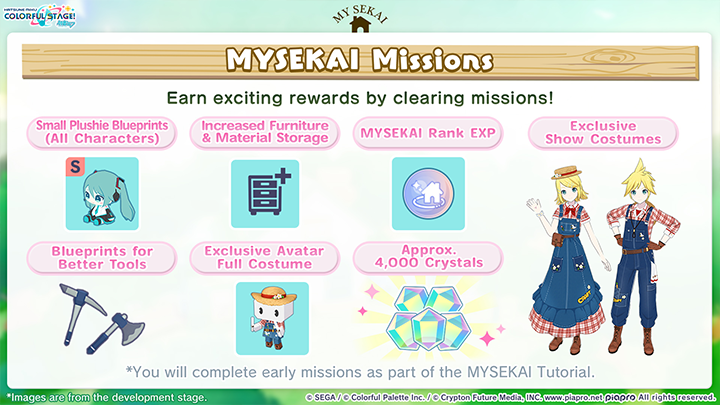
MYSEKAI Missions are tasks that you can carry out in MYSEKAI to earn a variety of rewards.
Rewards include Blueprints for furniture with special uses listed above, Exclusive Show Costumes, an Exclusive Full Costume for your Avatar, increased furniture and material storage and over 4,000 Crystals.
*You will complete some early missions as part of the MYSEKAI Tutorial.
*Go to the mission menu to see mission details, including rewards.
MYSEKAI Rank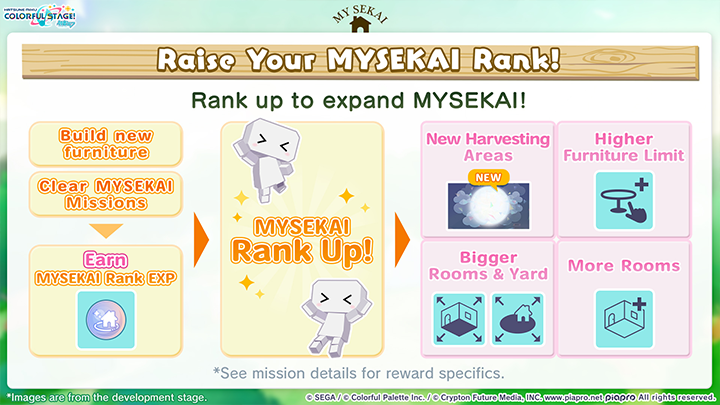
Your MYSEKAI Rank indicates your MYSEKAI's growth, and your MYSEKAI experience expands in some way each time you increase it.
Raise your rank by earning MYSEKAI Rank experience points. Ways of doing this include building a furniture item for the first time and completing MYSEKAI Missions.
• Rank 2: New Harvesting Area
• Rank 3: Bigger Room, Higher Furniture Limit
• Rank 4: New Harvesting Area
• Rank 5: New Harvesting Area
• Rank 6: Bigger Room, Higher Furniture Limit
• Rank 7: Bigger Yard, Higher Furniture Limit
• Rank 8: New Floor, Higher Furniture Limit
• Rank 9: Bigger Yard, Higher Furniture Limit
• Rank 10: New Floor, Higher Furniture Limit
*You reach Rank 2 during the tutorial.
*At launch, Rank 10 will be the highest possible MYSEKAI Rank.
Visiting Other SEKAI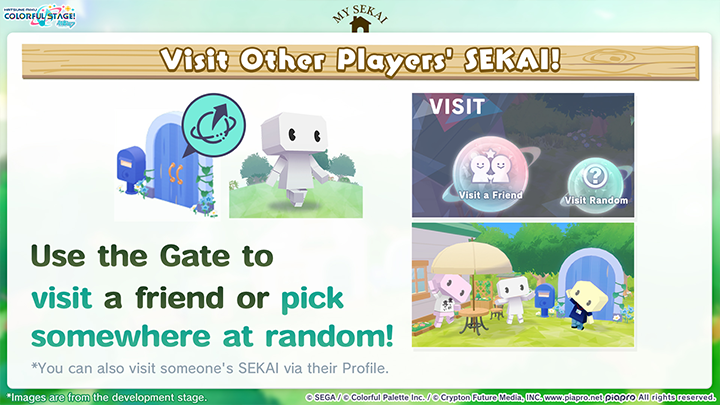
You can use the Gate to visit other MYSEKAI.
Visit the MYSEKAI of someone on your Friends List, search for one by Player ID or let the Gate send you somewhere at random. You can also check out the Model Rooms, 6 themed MYSEKAI that have no owners.
You can choose who is allowed to visit you. To do this, go to MYSEKAI Settings > Options > Visit Settings. There, you can choose Anyone, Friends Only or No One. Selecting No One makes your MYSEKAI private and ensures that no other players can visit.
*You may visit another player's SEKAI even when they are offline.
*Besides using the Gate, you can also visit someone's SEKAI via a button on their Profile.
*The Sightsee section of the Gate menu will not be available at release. Please stay tuned for further updates.
■Sketching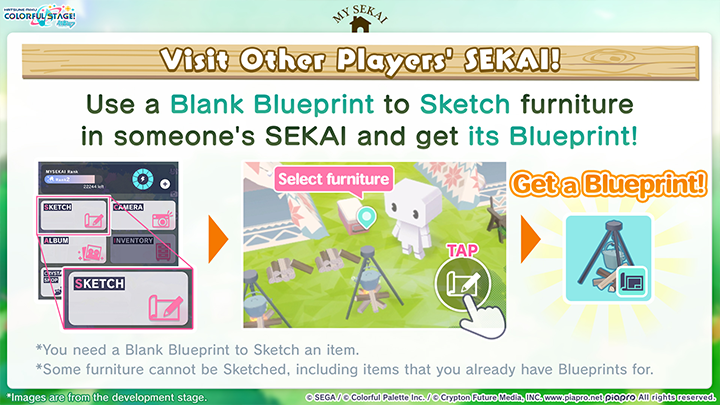
Sketching is a feature that lets you obtain unowned Blueprints of furniture that you find in other MYSEKAI. To do it, you'll need a Blank Blueprint.
*Some furniture cannot be Sketched.
Other Updates
World Pass and MYSEKAI Mission Pass
World Pass and MYSEKAI Mission Pass
As part of the release of MYSEKAI, we are launching two new passes designed to enhance your MYSEKAI experience: the World Pass and the MYSEKAI Mission Pass.
Read on for details of the two passes.
■World Pass ($11.99)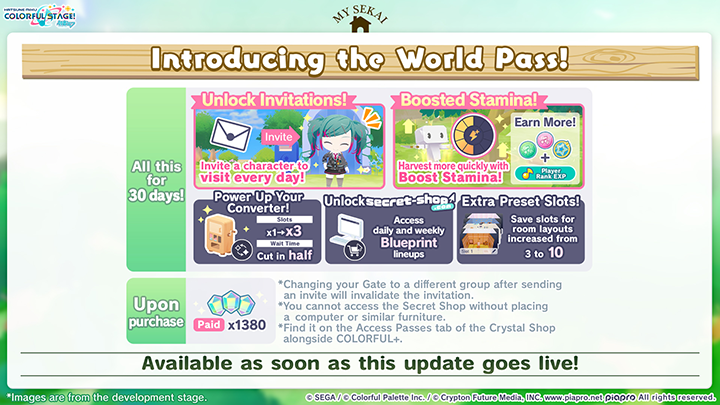
The World Pass offers numerous benefits that boost your MYSEKAI experience for 30 days after purchase.
Content:
• Paid Crystals x1,380
• Unlock Gate Invitation Feature
• Boosted Stamina
• Enhanced Converter
• Unlock Secret Shop
• Increase Furniture Layout Preset Slots From 3 to 10
See below for details on the bonuses.
〇 Unlock Gate Invitation Feature
You become able to send an invitation from your Gate to a character of your choice, who is then guaranteed to visit every day.
*Once you send an invitation, you cannot change the invited character to someone else for 3 days.
*The invitation feature is hidden unless you have an active World Pass.
〇 Boosted Stamina
Your MYSEKAI Stamina, which is restored daily at 5:00 AM (PT), is upgraded to Boosted Stamina.
〇 Enhanced Converter
Your Conversion slots are increased from 1 to 3 and Conversion times is halved.
*The number of Crystals required to reduce Conversion time is also halved.
*Once the Pass expires, your slots and Conversion times will revert to normal. However, any slots used and effects applied when the Pass expires will stay in place until Conversion is complete.
■MYSEKAI Mission Pass ($15.99)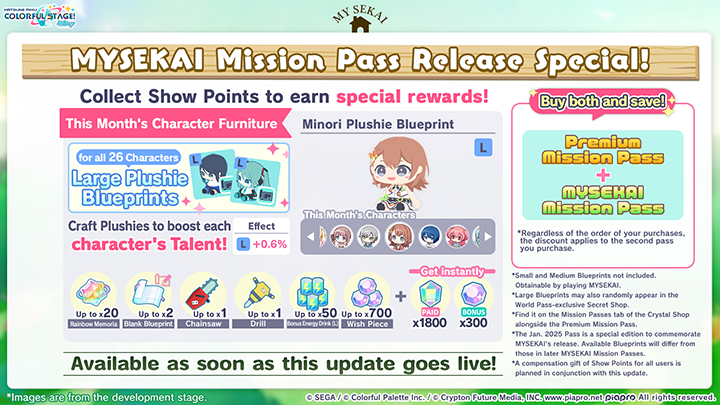
The MYSEKAI Mission Pass unlocks a new monthly updated tier of Show Mission rewards.
These include helpful items like tools and Blueprints for furniture.
Content:
• Paid Crystals x1,850
• Wish Piece x300
• Monthly Character Furniture Blueprints
• Up to Rainbow Memoria x20
• Up to Blank Blueprint x2
• Up to Chainsaw x1
• Up to Drill x1
• Up to Wish Piece x700
• Up to Bonus Energy Drink (L) x50
*Chainsaws and Drills are tools used for harvesting.
*Rainbow Memoria is a material that can be exchanged in the Wish Piece & Memoria Exchange for the Memoria of a character of your choice.
*Character Furniture Blueprints rotate on a monthly basis.
■Bundle Discount
Purchase both the Premium Mission Pass and the MYSEKAI Mission Pass to get a discount off the second Pass. If you're looking to save money, be sure to make use of this deal!
*The discount will be applied whether you buy the passes simultaneously or purchase one after the other.
*This discount only applies during the month in which the passes are purchased.
■Compensation Following Launch of New Passes
As part of the launch of the two new passes, all players will receive Show Points x1,000 between January 15 12:00 AM and January 31 11:59 PM (PT).
*Receive your gift by logging in during this period.
For more details and important information about these products, please see their in-game summaries.
Other Announcements
■No New Event Avatar Items in Virtual Shop
Following the release of MYSEKAI, we will stop adding themed Avatar Items to the Virtual Shop with each event, starting from the one beginning on January 11.
Going forward, the Virtual Shop will add new Avatar Items on an irregular basis.
■Recommended Setup for MYSEKAI
To ensure a smooth MYSEKAI experience, we recommend that you play on a device equivalent to or newer than the iPhone 12 and make sure you have a stable network connection.
■Issue Fixes and Updates
Known issues and fixes will be addressed in a separate notice.
■Other improvements and fixes
Adjustments to With Our Wounded Hands Event Story dialogue.

